Article
Best AI Video Generators for Filmmakers (2026): Compared by Control, Consistency, Length, Cost and Licensing
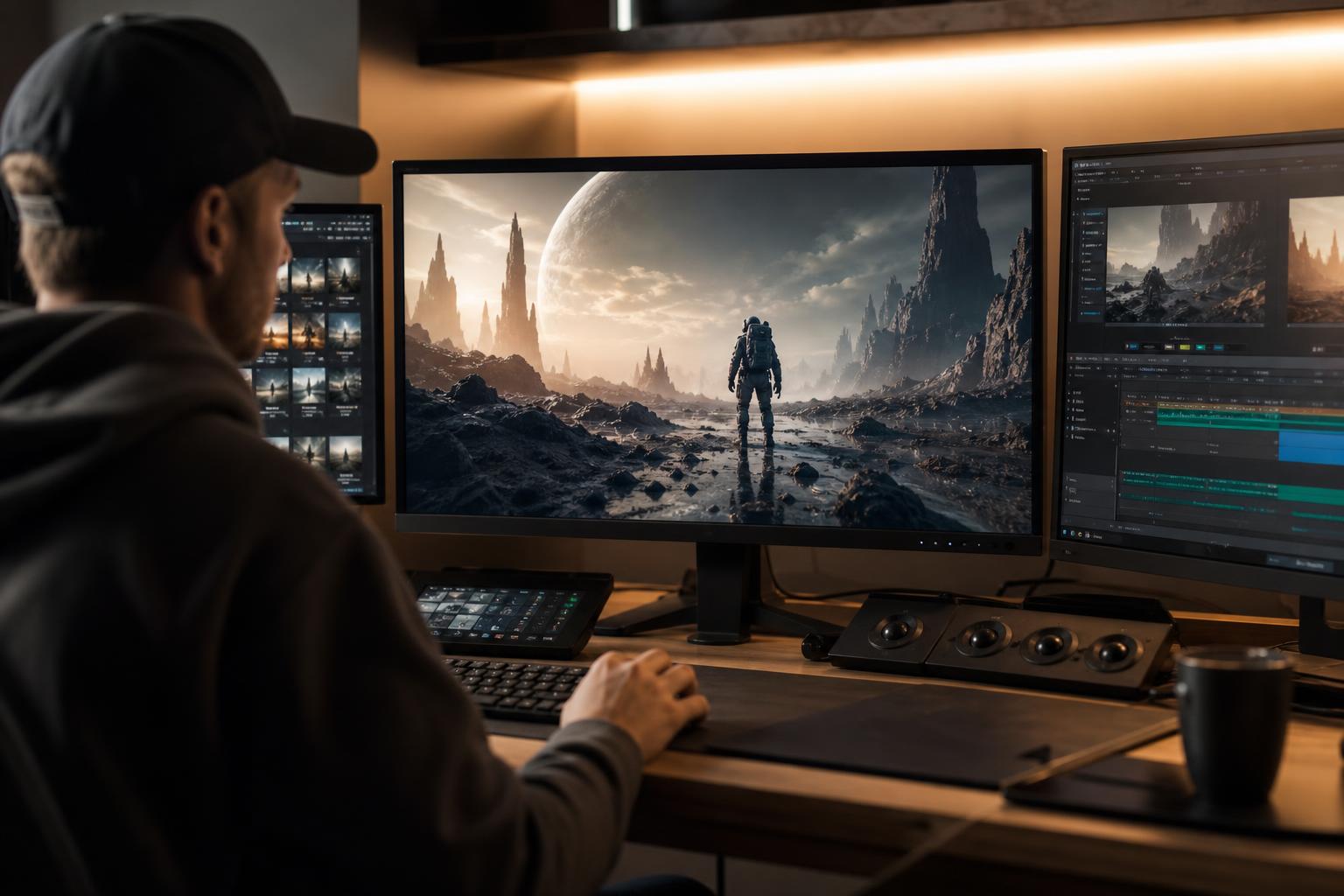
Choosing the best AI video generators for filmmakers is less about finding one winner and more about matching a tool to the job in front of you. A music-video concept, a product teaser and a narrative short each need different things: tight control over the camera, characters that look the same from shot to shot, clips long enough to cut with, a cost you can predict, and a licence that lets you publish commercially. This guide compares tools on those five criteria rather than on hype. It explains the difference between text to video AI, image-to-video and AI video editing tools, and it ends with a pick for each use case. Features and terms change quickly, so treat the tool names as examples and check each vendor's current pages.
In this article
- Key takeaways
- How to compare AI video generators: five criteria that matter
- Text to video, image to video and AI video editing tools: which type do you need?
- Control: how much can you direct the shot?
- Consistency: keeping characters and style the same across shots
- Length limits, resolution and audio
- Cost and free AI video generator options
- Commercial licensing: what to check before you publish
- Best AI video generators for filmmakers by use case
- A one-afternoon test to choose your tool
- Conclusion
Key takeaways
- No single generator wins on everything. Control, consistency, clip length, cost and licensing usually trade off against each other.
- Image-to-video workflows give filmmakers far more control and consistency than prompt-only text to video AI.
- Judge cost by price per usable second, not per generation, because most clips will be rejected.
- Commercial rights depend on your plan and the vendor's current terms. Free tiers often restrict commercial use, so read the terms before you publish.
- Test two or three tools on the same short scene before you commit. A one-afternoon test beats any review, including this one.
How to compare AI video generators: five criteria that matter
Most comparison pages rank tools by how pretty a demo reel looks. Demos are cherry-picked. Filmmakers need to know what happens on the tenth attempt at a specific shot. These five criteria predict that better than any showreel.
Control
Control is how precisely you can direct what the camera and subjects do. Look for camera movement settings, the ability to supply a first and last frame, reference images, motion guidance and the option to re-generate part of a clip instead of the whole thing.
Consistency
Consistency is whether a character, costume, location and lighting look the same across shots and across days. It is the single biggest obstacle in AI-made narrative work, and it is rarely solved by the generator alone.
Length limits and resolution
Most tools produce short clips, often a few seconds to around ten seconds per generation, with some offering extensions. Resolution, frame rate and aspect-ratio options matter if you deliver to cinema, broadcast, social or client screens.
Cost per usable second
Take the cost of a generation, divide by the share of attempts you actually keep, and divide again by clip length. That gives a realistic figure you can compare between tools. We do not quote prices here because they change often and differ by region and currency, so use each vendor's pricing page.
Commercial licensing
Can you use the output in paid client work, advertising or monetised channels, and on which plan? Does the vendor say anything about training data or about legal protection? Licensing can rule out a tool that otherwise looks perfect.
Text to video, image to video and AI video editing tools: which type do you need?
Before comparing brands, decide which category of tool you need. Many disappointing results come from using the wrong type for the task.
Text to video AI
You describe a shot in words and the model produces a clip. It is fast and ideal for ideation, mood boards and animatics. The downside is that every generation is a fresh roll of the dice, so consistency and precise staging are weak.
Image to video AI
You supply a still image, and the model animates it. Because the first frame is fixed, you control composition, character design and lighting before motion begins. Most serious filmmaking workflows are built around this approach.
Video-to-video and AI video editing tools
These tools transform footage you already have: restyling, extending, removing objects, changing backgrounds, upscaling or cleaning up audio. AI video editing tools are less glamorous than generators, but they often save more real time. They also let you mix filmed and generated material in one timeline.
| Tool type | Best for | Control | Consistency | Main weakness |
|---|---|---|---|---|
| Text to video | Ideas, animatics, quick social clips | Low | Low | Hard to repeat a shot |
| Image to video | Narrative scenes, branded visuals | Medium to high | Medium to high | Needs good source images |
| Video-to-video | Restyling or fixing real footage | High (you supply the motion) | Medium | Needs source footage |
| AI editing tools | Cleanup, extension, upscaling, captions | High | High (the footage is unchanged) | Does not create new scenes |
Control: how much can you direct the shot?
Control is where generators differ most, and where filmmakers should spend the most time testing.
Camera and motion controls
Some platforms offer explicit camera settings such as pan, tilt, dolly or zoom, and some let you mark which parts of an image should move. Others rely on how you phrase the prompt. Phrases like "slow push-in, shallow depth of field, handheld" work with varying reliability, so test your own vocabulary on each tool rather than assuming it transfers.
Start frames, end frames and references
Supplying a first frame, and on some tools a last frame, is the most useful control feature for editors because it lets you plan how one shot cuts into the next. Reference-image features, where you upload a character or product to be reproduced, are valuable for commercial work where the object must look right.
Prompt-only tools
Prompt-only tools are not useless. They are excellent for exploring ideas before you commit to designing frames. Just do not expect to reproduce the exact shot twice. If your project needs repeatability, favour tools with image input, seeds or reference features.
A practical rule: if you can describe the shot as a storyboard frame, use image to video. If you can only describe a feeling, use text to video and let the tool surprise you.
Consistency: keeping characters and style the same across shots
Consistency is the difference between a collection of pretty clips and a film. No generator solves it completely in 2026, but your workflow can get close.
Use a still-first workflow
Design your characters and locations as still images first, using an image generator you can steer. Pick one approved image per character and per location, then generate every shot from those approved stills. This keeps faces, costumes and colour palettes anchored.
Reference and character features
Several tools now accept multiple reference images or have a character-memory feature. These help, but they can still drift in profile views, wide shots or fast motion. Plan coverage that plays to the tool's strengths: medium shots, over-the-shoulder angles and cutaways to hands, objects and environments hide drift well.
Let the edit and grade unify the look
A consistent colour grade, film grain and sound design make slightly different clips feel like one world. Cut quickly, keep shots short, and reject any clip where a face changes noticeably. A rejection rate of more than half your generations is normal, not a sign you are doing it wrong.
If you are new to this process, our AI filmmaking for beginners pipeline from script to export shows where consistency decisions fit in the production order.
Length limits, resolution and audio
Clip length and output quality determine how much you must stitch together and how much you can use on a big screen.
Clip length
Typical single generations are short. Some tools let you extend a clip by continuing from its last frame, but quality and consistency often degrade the further you extend. For editors this is fine: most cinematic cuts are only a few seconds long anyway. Plan scenes as sequences of short shots rather than long takes.
Resolution and upscaling
Check the maximum native resolution and frame rate on the plan you actually intend to pay for, because higher resolutions are sometimes reserved for higher tiers. Upscaling tools can help, but they cannot invent detail that was never there, and they may add a smooth, artificial look. Also check aspect ratios (16:9, 9:16, 1:1, wider cinema formats) if you deliver to several platforms.
Native audio and lip sync
Some newer generators produce sound and dialogue along with the picture, while others are silent. Native audio is convenient for drafts, but most filmmakers still replace it with recorded or separately generated dialogue, music and effects, for control and for clearer rights. If you need lip sync, test it on your own lines in your own language, since quality varies between languages.
Cost and free AI video generator options
Pricing models are confusing on purpose. Understanding them protects your budget.
How credit-based pricing works
Most platforms sell credits or generation allowances. Longer clips, higher resolution, premium models and extra features each consume more credits. Failed or unusable generations normally still use credits, so your real cost is higher than the headline per-clip rate. Prices and currencies differ by country and change often, so check the live pricing page. Our breakdown of what a short film made with AI video actually costs walks through the cost categories beyond subscriptions.
What free tiers usually give you
A free AI video generator is good for learning the interface and testing prompts. Typically, though, free tiers limit resolution, add watermarks, restrict the number of generations, queue you behind paying users and, importantly, may not allow commercial use. Never assume free output is cleared for client work. Open-weight models you run on your own hardware avoid per-clip fees but need a capable graphics card and some technical comfort.
A simple budget formula
- Count the final shots in your edit and their average length in seconds.
- Estimate how many attempts you need per shot. Use 4 to 8 for beginners.
- Multiply shots by attempts to get total generations, then multiply by the credit cost per generation.
- Add a 20 percent buffer for re-dos after client or director feedback.
- Compare that credit total with each plan's allowance rather than guessing.
Commercial licensing: what to check before you publish
Licensing is the least exciting part of choosing a tool and the one most likely to cause trouble later. This is general information, not legal advice, and rules differ between countries.
Plan-level rights
Many vendors grant commercial rights only on paid plans, and some change their terms over time. Save a copy or screenshot of the terms that applied on the day you generated a commercial asset. Some enterprise-oriented tools describe their training data as licensed and may offer legal protections, but only on certain plans, so read the specifics instead of relying on marketing language.
Ownership and copyright differ by country
Whether purely AI-generated material can be protected by copyright varies across jurisdictions. Several countries require meaningful human authorship, while others are still developing their rules. If you need exclusive rights over your film, ask a qualified local professional, and document your human creative contribution: scripts, storyboards, edits, sound design and grading.
Likeness, music and disclosure
Do not generate real people's faces or voices without permission. Do not recreate protected characters, brands or music. Some platforms, advertisers and regulators require disclosure of AI-generated content, and requirements differ by region. When in doubt, disclose.
| Licensing question | Where to find the answer |
|---|---|
| Is commercial use allowed on my plan? | The vendor's terms of service and pricing page |
| Are watermarks required on my tier? | The plan comparison table |
| Is there legal protection for outputs? | Enterprise or business plan documentation |
| Can I use real faces or brand assets? | The acceptable use policy and your own permissions |
| Do platforms need AI disclosure? | Each distribution platform's current policies |
Best AI video generators for filmmakers by use case
Tool leaders change every few months, so here the picks describe what to prioritise and name example tools only as starting points for your own test. Tools frequently mentioned by filmmakers include Runway, Google's Veo models, OpenAI's Sora, Kling, Luma and Adobe Firefly, plus open-weight models such as Wan for local use. Verify current features, limits and terms before you subscribe.
Narrative shorts
Prioritise control and consistency. Choose a tool with strong image-to-video, first and last frame input and reference features, and pair it with a still-image generator for character design. Expect to spend most of your time on rejected takes and edit-room fixes.
Commercials and social content
Prioritise licensing clarity and speed. A tool with explicit commercial terms, support for vertical and square formats and product-reference features is worth more than the most cinematic one. Vendors that emphasise licensed training data may suit brand work, though you should confirm what is actually covered.
Music videos and experimental work
Prioritise visual character and iteration speed. Consistency matters less when surreal, shifting imagery is the point, so text to video AI and video-to-video styling are good fits. Cost per second still matters, because music videos need many shots.
Beginners and learners
Prioritise a clear interface, a usable free tier and good documentation. Among AI video tools for beginners, pick one platform and learn it thoroughly instead of subscribing to several. Use free allowances to learn, then move to a paid plan only when you need commercial rights or higher quality.
Privacy-minded or budget-limited creators
Consider running open-weight models locally. You keep files on your own machine and avoid per-clip fees, but you need suitable hardware, setup time and a careful read of each model's licence, since open weights do not always mean unrestricted commercial use.
| Use case | Top priority | Workflow to favour | Check first |
|---|---|---|---|
| Narrative short | Consistency and control | Still-first, image to video | Reference features, max resolution |
| Commercial or social | Licensing and speed | Image to video plus editing tools | Commercial terms, aspect ratios |
| Music video | Visual style | Text to video and video-to-video | Cost per usable second |
| Beginner | Ease of use | One tool, short practice scenes | Free tier limits, watermarks |
| Local or low budget | Privacy and no per-clip fee | Open-weight models | Hardware needs, model licence |
A one-afternoon test to choose your tool
You will learn more from one structured test than from reading ten reviews. Keep the test small and identical across tools.
The test protocol
- Write a 15-second scene with three shots: a wide establishing shot, a medium shot of one character and a close-up of an object.
- Create one still image for each shot, using the same character and style references.
- Generate each shot five times on each tool you are testing, noting the cost in credits.
- Score each tool from 1 to 5 for control, consistency, motion quality and how many clips were usable.
- Read the commercial terms for the plan you would need, and note any limits on resolution, length or watermarks.
- Cut the best clips together with simple sound and see which tool's footage holds up on a full-size screen.
Always review the output critically. Our guide on how to check AI output when you are not the expert applies to scripts, claims and any factual content in your videos too.
Where a guided kit helps
If you would rather follow a structured path than piece things together, the AI Filmmaker Blueprint from My Business Growth Kit combines an ebook, audiobook, AI tutor prompts, workflows and exercises for working through the filmmaking pipeline. It is a digital download you read or listen to in your online library, and nothing is shipped. It does not promise results, but it can give your tool tests a sequence to follow. For product details and current pricing, see the product page.
Conclusion
The best AI video generators for filmmakers are the ones that fit your use case on five measures: control, consistency, length limits, cost per usable second and commercial licensing. Image-to-video workflows suit narrative work, licensing clarity suits commercial work, and fast text to video AI suits experimentation. Free tiers are for learning, and paid plans or local models are for publishing, subject to the terms you have read. Run the same small test on a few tools, keep notes, and choose from your own evidence.
Frequently asked questions
What are the best AI video generators for filmmakers?
There is no single best tool, because strengths differ. Filmmakers often test Runway, Google Veo, OpenAI Sora, Kling, Luma and Adobe Firefly, plus open-weight models for local use. Choose by control, consistency, clip length, cost and licensing, and test them on the same scene.
Is there a free AI video generator good enough for filmmaking?
Free tiers are good for learning and testing prompts. They commonly limit resolution, add watermarks, restrict the number of generations and may not allow commercial use. Check the terms before using any free output in client or monetised work.
What is the difference between text to video and image to video AI?
Text to video creates a clip from a written description, so each result is unpredictable. Image to video animates a still you supply, which gives you control over composition, characters and lighting. Most narrative filmmakers prefer image to video for that reason.
How long can AI-generated video clips be?
Single generations are usually short, often a few seconds up to around ten, depending on the tool and plan. Some tools can extend clips, though quality may drop. Most filmmakers build scenes by editing many short shots together.
Can I use AI-generated video commercially?
Often yes, but it depends on the vendor's terms and your plan, and free plans are often restricted. Copyright treatment of AI output also differs between countries. Read the current terms, keep a copy, and seek local legal advice for important projects.
How do I keep characters consistent across AI video shots?
Design the character as an approved still image, then generate each shot from that image or from reference images. Use shots that hide drift, like medium shots and cutaways, and unify the footage with colour grading and sound. Expect to reject many takes.
Do AI video editing tools replace generators?
No, they do different jobs. Editing tools clean up, extend, upscale or restyle footage you already have, while generators create new clips. Many workflows use both.
Which AI video tool should a complete beginner start with?
Pick one platform with a clear interface, a usable free tier and good documentation, and learn it well before adding others. Practise on short scenes, then move to a paid plan only if you need commercial rights or higher quality.