Article
AI Filmmaking Course (2026): Self-Study vs Video Course vs Blueprint
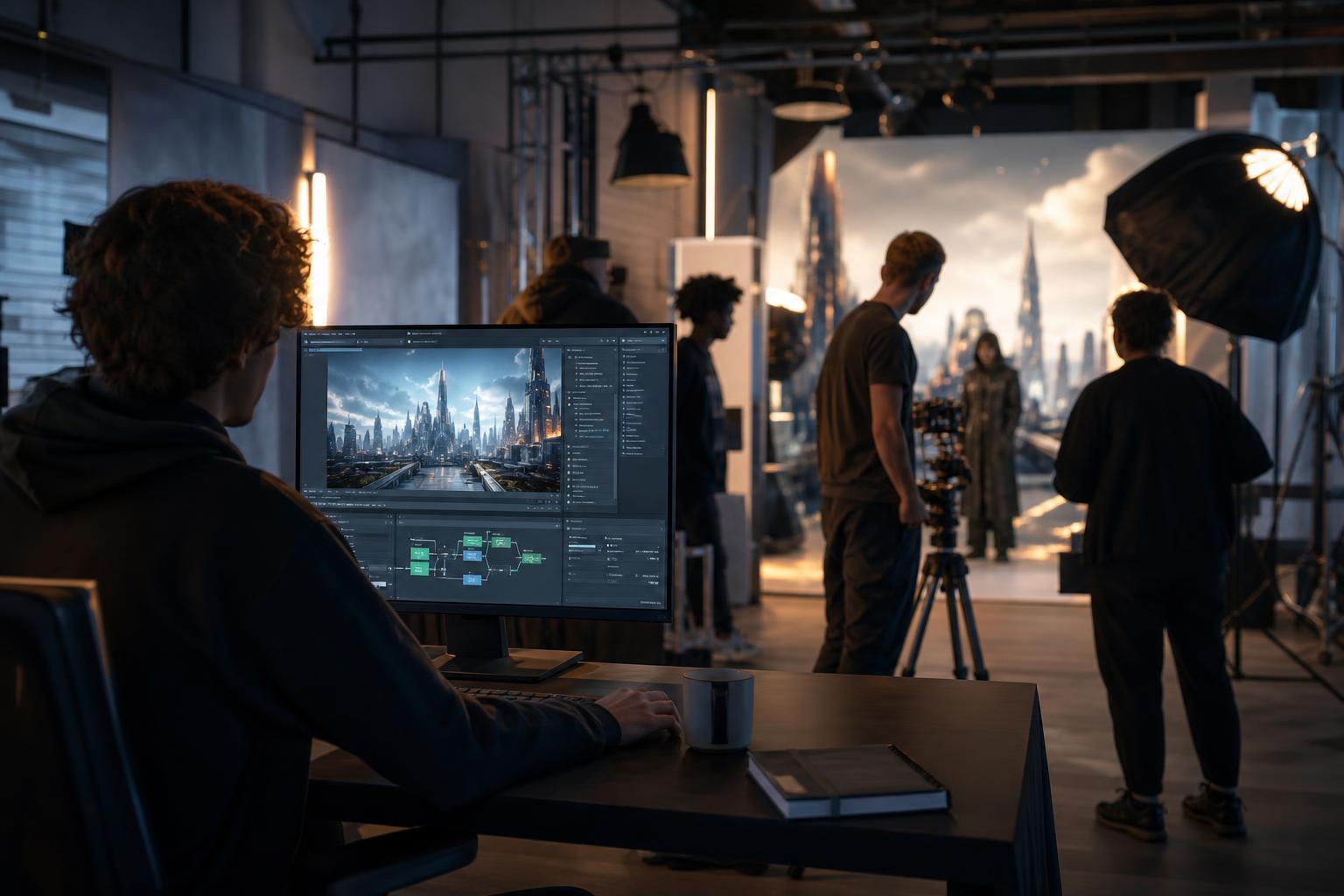
Choosing an AI filmmaking course is harder than it looks, because the tools change faster than most lessons can be recorded. Should you teach yourself from free tutorials, pay for a video course, or follow a structured blueprint? Each route can work, but they differ sharply in how much time they consume, what they really cost once tool subscriptions are counted, and how reliably they take a beginner to a finished film. This guide compares all three honestly, including where our own AI Filmmaker Blueprint fits and where it may not be the right choice. You will get a side-by-side table, rough time ranges, a checklist of questions to ask before you commit, and a simple way to decide.
In this article
- Key takeaways
- What a good AI filmmaking course actually has to teach
- Three ways to learn AI filmmaking, explained honestly
- Self-study vs video course vs blueprint: the side-by-side comparison
- How long each route really takes
- What each route costs once you count everything
- What results you can honestly expect
- How to choose an AI film school online or a guided alternative
- Where the AI Filmmaker Blueprint fits, and how access works
- Conclusion
Key takeaways
- There are three realistic routes: self-study, video courses and a structured blueprint. None is best for everyone.
- Self-study is cheapest on paper but usually costs the most time, because you design your own curriculum.
- Video courses give a guided sequence, but tool-specific lessons can date quickly, so check how a course handles updates.
- A structured blueprint trades live instruction for a clear order of steps, exercises and prompts you can work through at your own pace.
- Whatever you pick, judge it by one test: can you finish a short film and explain every step you took?
- No course can guarantee results. Your outcome depends on practice, tool access and the quality of your ideas.
What a good AI filmmaking course actually has to teach
Before comparing formats, it helps to know what you are shopping for. Many pages promoting an AI video course for beginners focus on one generator and a handful of flashy clips. That is a tutorial, not a course. A useful programme teaches the whole process of making a film, not just how to press the button in one app.
The pipeline from idea to export
A complete learning path covers the same stages that traditional filmmakers use, adapted for AI tools:
- Idea and script: a short story with a clear beginning, turning point and ending.
- Shot list and visual plan: what each shot shows, how long it runs and how it connects to the next.
- Image and video generation: prompting, reference images and choosing the best takes.
- Voice, music and sound: narration, effects and mixing so the film feels finished.
- Editing and export: pacing, titles, colour consistency and the right file format for your platform.
If you want a free walkthrough of these stages first, our guide to AI filmmaking for beginners shows the pipeline from script to export, and it is a handy yardstick for judging any course outline.
Durable skills versus tool-specific clicks
Menus and model names change often. Storytelling, shot planning, prompt writing, editing rhythm and rights awareness do not. When you review a syllabus, ask what share of it teaches durable skills. A course that is mostly screen recordings of one interface may be out of date within months, while one built around the pipeline will still make sense when you switch tools.
Three ways to learn AI filmmaking, explained honestly
Each format has real strengths. The trouble starts when it is sold as the only sensible choice.
Self-study with free tutorials
Self-study means assembling your own AI filmmaking tutorial playlist from free videos, forums and tool documentation. Its strength is flexibility and a low upfront cost. Its weakness is sequencing: you often learn advanced tricks before you understand shot planning, and you can spend weeks without producing a finished film. It suits people who are comfortable searching, filtering conflicting advice and setting their own deadlines.
Video courses and online AI film schools
A video course, or an AI film school online, gives you a teacher, a sequence and often a community or feedback channel, though what is included varies a lot between providers. The strengths are visual demonstration and a clear starting point. The common weaknesses are length (hours of watching before making anything), dated tool screens and little practice built in. Always check the last update date and whether lessons end with an assignment.
A structured blueprint
A blueprint is a step-by-step system: written chapters, checklists, exercises and prompts that you work through in order. It is not live teaching. Its strength is that it keeps you moving toward a finished project, and it is easy to revisit. Its limit is that you do the work independently, so it suits self-motivated beginners who want structure without a fixed schedule.
Self-study vs video course vs blueprint: the side-by-side comparison
The table below summarises how the three routes usually compare. Treat it as a general pattern, because individual courses vary widely.
| Factor | Self-study | Video course | Structured blueprint |
|---|---|---|---|
| Upfront cost | Lowest, often none | Moderate to high, depending on provider | Moderate; see the product page for current pricing |
| Time to plan the path | High: you build your own curriculum | Low: the order is set | Low: the order is set |
| Time spent watching or reading | Unpredictable | Often long | Moderate; designed around doing |
| Practice built in | None unless you create it | Varies; check for assignments | Exercises and workflows included |
| Staying current with tools | Depends on what you find | Depends on update policy | Focus on the process, so less tied to one tool |
| Live feedback from a person | Only from forums | Sometimes, at some providers | Self-paced; AI tutor prompts can help you review work |
| Best for | Curious, self-directed learners | People who learn best by watching a teacher | Beginners who want a clear route to a finished film |
How to read the table
No row decides the matter alone. If you have plenty of time and little money, self-study may be perfectly sensible. If you value a teacher's voice, a video course is a fair choice. If your main problem is knowing what to do next, structure matters more than format.
Hidden costs the table cannot show
Every route shares costs outside the lessons, such as generator credits and editing software, which we cover below. A cheap lesson plus expensive trial-and-error generation can cost more than a guided path that teaches you to plan shots before you generate them.
How long each route really takes
Providers rarely publish honest time estimates, so here is a planning guide. These are rough assumptions for a complete beginner aiming at a 60-second film, not measured statistics, and your pace will differ.
A realistic path to a first 60-second film
- Self-study: expect the longest and least predictable timeline. Weeks of scattered learning are common, because you must find, vet and order the material yourself.
- Video course: the watching time is fixed, but make sure you budget separate hours for practice. Watching a lesson is not the same as completing a shot.
- Blueprint: the sequence is built around producing a film, so time goes mostly into making rather than searching.
Whichever you choose, set a deadline for one finished film. Our step-by-step guide on how to make a short film with AI walks through a 60-second project and gives you a free benchmark for how much work a first film involves.
Where learning time leaks away
Three habits eat the most hours: switching tools every week, generating dozens of clips with no shot list, and watching tutorials instead of practising. A good course design limits all three. If you self-study, protect yourself by choosing one tool, writing the script first and capping the number of generations per shot.
What each route costs once you count everything
Price comparisons often stop at the course fee. A fairer view counts money, tools and time. We do not quote prices here because they change and differ by country, currency and tax rules, so check each provider's own page.
The cost of the lesson itself
Self-study is usually free in cash terms. Video courses are priced by the provider, sometimes as a one-off purchase and sometimes as a membership. A blueprint or learning kit is typically a one-off digital purchase, with current pricing shown on the product page. Compare what is included, not only the headline number.
Costs that sit outside any course
- Video and image generators: many bill monthly or by credits, and plans, limits and licensing terms vary by tool and region. Our comparison of the best AI video generators for filmmakers covers control, consistency, length, cost and licensing.
- Editing software: free options exist, and paid ones may be worth it later.
- Voice and music: check licensing before publishing commercially.
- A reliable computer and internet connection: cloud generation needs less hardware, but uploads and exports still take bandwidth.
For a breakdown of what a finished project can really involve, see what a short film made with AI video actually costs.
Your time is a cost too
If an hour of your working time has real value to your business or job, a route that saves you twenty hours of searching has a financial benefit, even if it costs more upfront. The reverse is also true: if your time is flexible and you enjoy exploring, free material may be the better deal.
What results you can honestly expect
Any provider promising a guaranteed career, income or viral film is selling hope rather than education. Results come from practice, so judge a route by whether it makes practice easier.
Defining results before you buy
Decide what you want in concrete terms. Examples include a finished 60-second film, a repeatable process for making product videos, or a portfolio piece. Each goal needs different skills. A small business making social clips needs speed and brand consistency, while a hobbyist may care more about story and style. Write your goal down, then check whether a syllabus actually leads there.
Consistency, licensing and the limits of the tools
Every route will run into the same technical limits. Keeping a character looking the same across shots is difficult, clip lengths are short, and results vary from run to run. Rights are another area where you must check carefully. Terms of use differ between tools, and the way copyright treats AI-generated material differs between countries, so verify the rules for your own location and for your intended use, especially for commercial work. A trustworthy course will say so openly and teach you to read licence terms rather than pretending the question does not exist.
How to choose an AI film school online or a guided alternative
You can make a confident decision in under an hour if you ask the right questions.
Questions to ask before you commit
- Does the syllabus cover the full pipeline, from script to export?
- When was it last updated, and how are updates handled?
- Is there an exercise or project at the end of each stage?
- Which tools are needed, and what do they cost separately?
- What does it say about licensing and commercial use?
- Is there any support, and how does it work in practice?
Red flags on course sales pages
- Promises of guaranteed income, followers or jobs.
- Countdown timers and pressure to buy now.
- No syllabus, or a syllabus that lists only one tool.
- Examples that never show the process behind them.
- Silence on rights, refunds or what is actually included.
Matching the route to your situation
Choose self-study if you are curious, self-directed and willing to accept a slower path. Choose a video course if you learn best by watching someone and the provider has recent updates and a feedback channel. Choose a blueprint if you want a clear order of steps and exercises you can complete on your own schedule. Many people combine two routes, and that is often the most sensible outcome.
Where the AI Filmmaker Blueprint fits, and how access works
We make the AI Filmmaker Blueprint at My Business Growth Kit. It belongs to our range of AI-assisted digital learning kits, which combine ebooks, audiobooks, AI tutor prompts, workflows and exercises. We think it suits beginners who want a structured route, but it is not the right answer for everyone. If you want live, personal feedback from an instructor, check whether any provider you are considering offers that. The product page lists exactly what is included.
Combining a blueprint with other routes
A blueprint works well alongside free material. You can follow the structure, use free tutorials for specific tool questions, and use AI tutor prompts to review your script or shot list. As with any AI assistant, check its answers. Our guide on how to check AI output when you are not the expert explains simple verification habits. We also publish free blueprints and articles, so you can read before you decide to buy anything.
Payment and access, in plain terms
All our products are digital downloads: books and audiobooks that you read or listen to through your online library. Nothing is shipped. Paying by cryptocurrency is the main method, and access is automatic. Card, bank transfer and local currency are also available as alternatives, with access set up within 24 hours. For current pricing, always go to the product page.
Conclusion
The right AI filmmaking course is the one that gets you to a finished film with skills you understand. Self-study offers flexibility at the cost of time and structure. Video courses offer a teacher and a sequence, with varying update quality. A structured blueprint offers a clear order of steps and exercises for people who prefer to work independently. Compare each option by time, total cost and how much practice it builds in, set a deadline for one short film, and let that first project show you what to learn next.
Frequently asked questions
What is the best way to learn AI filmmaking as a beginner?
The best way is the one that gets you to a finished short film. Beginners who struggle with direction often do better with a guided sequence such as a video course or structured blueprint, while self-directed learners can succeed with free tutorials. Whichever you choose, make one complete 60-second film early.
Is an AI filmmaking course worth paying for?
It can be, if it saves you time, covers the full pipeline from script to export and includes practice exercises. It is less worthwhile if it only demonstrates one tool or promises guaranteed results. Review the syllabus, update policy and what is included before you buy.
Can I learn AI filmmaking for free?
Yes, you can learn a lot from free tutorials, documentation and articles. The trade-off is time, because you must sort and order the material yourself. You may still pay for tool subscriptions or credits when you generate clips.
How long does it take to learn AI filmmaking?
It depends on your starting point and how much you practise. Many beginners can aim to produce a first short film within a few weeks of regular work, but this is a rough planning guide, not a promise. Skill in storytelling, consistency and editing continues to develop long after the first film.
Do I need expensive equipment to make AI films?
Not usually. Most AI generation happens in the cloud, so a modern computer or laptop and a stable internet connection are often enough to start. Editing, exports and large uploads are easier on a faster machine, and requirements differ between tools.
Can I use AI-generated films commercially?
It depends on the tool's terms of use and on the laws in your country. Copyright treatment of AI-generated material differs around the world, so read the licence for each tool you use and seek local advice for important commercial projects.
Will an AI filmmaking course become outdated quickly?
Tool-specific lessons can date within months. Lessons on storytelling, shot planning, editing and rights awareness last much longer. Choose a course built around the process and ask how and when it is updated.
How do I pay for My Business Growth Kit products?
Cryptocurrency is the main way to pay, and access is automatic. Card, bank transfer and local currency are also available, with access set up within 24 hours. Everything is a digital download read or heard through your online library, and current prices are on each product page.